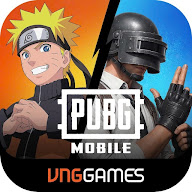
PUBG Mobile VN

4.9 4.3.0 Games،action/adventure March 28, 2026 tomob Comments Off on PUBG Mobile VN
Free
ADVERTISEMENT

Details About PUBG Mobile VN

  • Software Name PUBG Mobile VN
  • version 4.3.0
  • Developer VNG GROUP JSC
  • Operating system android
  • Release 2026-03-28
  • License Free
  • Size 100.83 MB
  • Language English ،Vietnamese

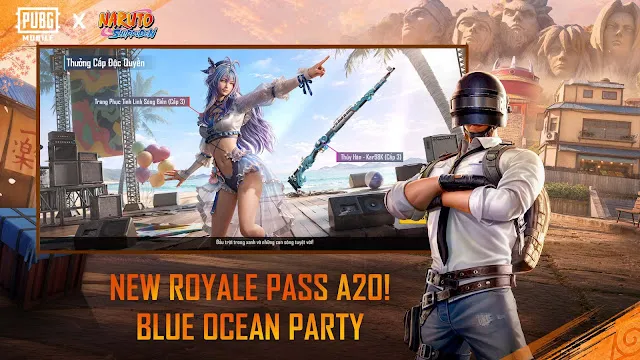
PUBG Mobile VN – PlayerUnknown’s Battlegrounds Mobile VN is the official Vietnamese version of the global battle royale phenomenon. It is specifically optimized for the Android community in Vietnam. This version delivers the same intense last-player-standing action that millions love. Furthermore, it includes special events and partnerships that resonate with local players. The game is free to download and play. It brings a complete, immersive combat experience directly to your Android device.

Every match starts with 100 players parachuting onto a vast island. Your goal is simple: survive and become the last team standing. You must scavenge for weapons, gear, and vehicles. Meanwhile, the playable area shrinks over time, forcing thrilling encounters. The game’s realistic graphics and smooth controls are tailored for Android performance. As a result, you get a highly competitive and visually stunning mobile shooter.

PUBG Mobile VN: What Sets the VN Version Apart?

PUBG Mobile is a global phenomenon. However, a local version exists for players in Vietnam. This is PUBG Mobile VN, published by VNG Games. It offers a deeply localized experience. It provides key advantages over the standard Global version.

Server & Stability: The Core Advantage

The VN version uses Vietnam-based servers. This is a major benefit for Southeast Asian players.

  • Low Latency: Players in the region experience much lower ping numbers.
  • Better Stability: You get a more reliable and stable connection.
  • Enhanced Gameplay: This lower latency is crucial for fast-paced combat. You will find more responsive shooting and movement. Connecting to local servers provides a smoother overall experience.

Furthermore, VNG ensures full localization.

  • The interface, menus, and announcements are all in Vietnamese.
  • You receive customer support tailored to local players.
  • The game is much more accessible and user-friendly for the Vietnamese community.

Exclusive Events and Rewards: The Draw

VNG works hard to make the VN version unique. Therefore, they often run Vietnam-specific events.

  • Local Culture: These in-game events and celebrations match the local culture and national holidays. This makes the game feel more connected to the region.
  • Unique Tournaments: They organize regional tournaments, which create a vibrant local competitive scene.

Consequently, you might see differences in rewards and pricing.

  • In-Game Currency: The game may feature different ways to earn or spend in-game currency.
  • Cosmetic Items: You might find exclusive cosmetic items or skins unavailable on the Global server.
  • Crate Rewards: Certain items can be easier or cheaper to obtain in the VN version. This adds significant value for local players.

Gameplay and Mechanics: The Same Core Game

Ultimately, the core of the game remains the same. You play the identical battle royale experience.

  • Core Gameplay: You parachute onto classic maps like Erangel and Sanhok.
  • Graphics: The VN version uses the Unreal Engine 4 for the same high-fidelity graphics.
  • Mechanics: All weapons, vehicles, and combat physics are identical to the Global version.

The differences are in the surrounding ecosystem: the localized events, the in-game store offers, and the superior network connectivity.

Download and Install PUBG Mobile VN APK on Android

Do you want to play the Vietnam-specific version of PUBG Mobile? This version offers unique regional events. It often provides better network performance for players in the region. You need the APK file for installation outside Vietnam’s official app store. Follow these simple steps. Install the game successfully on your Android device.

System Requirements: Check Your Hardware

First, ensure your Android device meets the basic needs.

Minimum Requirements

You can run the game with these specifications. Expect the lowest graphics settings.

  • Operating System: Android 5.1.1 or a newer version.
  • RAM: You need at least 2GB of RAM.
  • Storage: Keep at least 2GB of free space.

Recommended Requirements

These specs offer a much better experience. You will enjoy higher frame rates and less lag.

  • Operating System: Android 9 or a newer version works best.
  • RAM: Aim for 4GB of RAM or more. This ensures smooth multitasking.
  • Processor: A modern, mid-to-high-range processor is ideal. (e.g., Snapdragon 600 series or better).
  • Internet: Use a stable, high-speed connection. Low ping is essential for competitive play.

Step 1: Prepare Your Android Device

First, adjust one setting on your phone. This allows you to install apps from outside the Google Play Store. These files are APKs.

  • Go to Settings. Find your phone’s main settings menu.
  • Locate Security or Privacy. The exact name varies by phone.
  • Enable Unknown Sources. Look for the “Install unknown apps” or “Allow installation from unknown sources” option.
  • Allow your Browser. Select the browser you will use for the download. Give it permission to install apps.

Step 2: Download the Official APK File

Next, you need the APK file.

  1. Open your mobile browser.
  2. Visit the Filetomob.com.
  3. Search for “PUBG Mobile VN APK Download”.
  4. Tap the “Download APK” button. Ensure the version is recent.

Crucially, the download will start. Please wait for it to finish completely.

Step 3: Install the APK on Your Phone

Now, locate the downloaded file and run it.

  1. Open your Downloads folder or your browser’s download section.
  2. Find the PUBG Mobile VN APK file. It usually ends with “.apk”.
  3. Tap on the file to start installation.
  4. Your phone will show a prompt. Carefully review the permissions required.
  5. Finally, tap “Install.” The process will take a moment.

Step 4: Launch the Game

Finally, you can start your battle royale experience.

  1. Find the App Icon. Locate the PUBG Mobile VN icon on your home screen or app drawer.
  2. Tap the Icon. Launch the game.
  3. Check for Updates. The game may download small, final resource updates.
  4. Log In and Play! You successfully installed the Vietnamese version. Enjoy the new content!

Troubleshooting Common Issues

Sometimes, problems occur. Here are quick fixes.

  • “App Not Installed” Error: This often means the APK file is corrupt. Simply delete it and download a fresh copy.
  • Installation Blocked: Re-check the “Unknown Sources” setting for your specific browser.
  • Game Won’t Open: Restart your phone first. Then, ensure your device meets the game’s minimum requirements.

In conclusion, installing PUBG Mobile VN is straightforward. Just prepare your device, download the game, and install the APK file.

Get Ready for Battle: Your First Steps in PUBG Mobile VN

You’ve installed PUBG Mobile VN. Congratulations. The battlefield awaits. First, let’s get you set up for action. Follow these simple steps to begin.

First Launch & Account Setup

You need to establish your account first.

  • Open the game. Tap the PUBG Mobile VN icon on your screen.
  • Wait for downloads. The game will download necessary resource packs. This may take a few minutes. Make sure you have a stable internet connection.
  • Choose your login method. You have several options here.
    • Log in with a social media account (e.g., Facebook).
    • Use your phone number or email.
    • Sign in as a Guest (but be careful; you might lose progress!).
  • Create your character. Design your avatar. Choose a unique name.
  • Accept the terms. You must agree to the Terms of Service.

Configure Your Controls and Settings

Optimal settings give you a big advantage. You must customize them early on.

  • Go to Settings. Find the gear icon on the main screen. Tap it immediately.
  • Adjust Graphics. Set the Graphics to a level your device handles well. Smooth performance is more important than beautiful visuals. You want a high frame rate.
  • Customize Controls. This step is vital. Access the Controls tab. Use the Customize layout button.

Key Customizations:

  • Move the fire buttons. Place them where your fingers naturally rest.
  • Adjust the size and transparency of buttons. Make important buttons easy to hit.
  • Try the “3-finger” or “4-finger claw” layout later. This gives you faster reactions.
  • Review Sensitivity. Head to the Sensitivity tab. This controls how quickly your screen moves. Change the Camera, ADS (Aim Down Sight), and Gyroscope sensitivity. Practice makes perfect here.

Master the Training Grounds

You need to practice your skills before facing real enemies.

  • Enter Training Mode. Find the mode selection area. Look for the Training Ground option.
  • Test all weapons. Pick up every gun you find. Shoot at targets.
    • Learn the recoil patterns for your favorite guns.
    • Practice switching between firing modes.
  • Practice aiming. Use the different scopes. Try to hit moving targets from various distances.
  • Master movement. Practice crouching, proning, and jumping while shooting. These techniques keep you alive.

Start Your First Match

You are now ready for the battle royale action.

  • Select a mode. As a beginner, choose Classic Mode. Start with the Erangel map.
  • Choose your perspective. You can play FPP (First-Person Perspective) or TPP (Third-Person Perspective). TPP is generally more popular.
  • Hit “Start.” The matchmaking process will begin.

Your First Game Strategy:

  • Land Safe. Avoid crowded areas like Pochinki or School. Pick a small cluster of buildings.
  • Loot Quickly. Find a backpack, armor (vest and helmet), and a weapon. Prioritize Assault Rifles (ARs) and Submachine Guns (SMGs).
  • Stay in the Zone. Watch the minimap constantly. Run toward the shrinking white circle.
  • Use Cover. Always place an object between yourself and potential enemies. Trees, rocks, and walls offer protection.

Connect With the Community

PUBG Mobile VN is more fun with friends.

  • Add Friends. Find the Friends icon. Send requests to people you meet in the game.
  • Join a Squad. Play the Squads mode. Use the voice chat feature. Communication is your best weapon.
  • Find a Clan. Look for a Vietnamese Clan. Clans offer rewards and a community feeling.

PUBG Mobile VN: Teamwork Makes the Dream Work

PUBG Mobile VN highly values team play. The game provides key features for strong community interaction.

  • Friends lists make it easy to team up. You quickly connect with players you trust.
  • Voice chat is a vital tool for coordination. Use it to call out enemy positions fast.
  • Communication helps you plan your rotations. It is crucial for a smooth transition into the next safe zone.
  • This cooperation strengthens the in-game experience. Therefore, you build stronger friendships while you play.

Drive and Competition: The Ranking System

A robust competitive system keeps players engaged long-term. Ranking drives the desire to improve.

  • The ranking system rewards consistent performance. Survival time and kills both affect your score.
  • Achieve a higher rank to earn prestigious titles. For example, many players chase the Conqueror title.
  • The game features a rich mission structure. These missions give you daily and seasonal objectives.
  • Completing these missions earns you valuable rewards. These goals encourage you to log in regularly.
  • Consequently, the competition and rewards motivate deep, sustained player engagement.

Personal Style: Extensive Customization

Players enjoy a high level of personalization. Customization lets you express yourself on the battlefield.

  • You can extensively modify your character creation. Change facial features, hairstyles, and more.
  • Costumes are a major draw in the localized versions. Exclusive regional outfits often appear.
  • Players frequently collect rare and upgradeable weapon skins. These skins visually enhance your favorite guns.
  • Importantly, unique skins and outfits help you stand out. This focus on appearance becomes a central part of the game’s culture.

Enjoy your “Chicken Dinner” journey!

PUBG Mobile VN vs. Global Version: The Key Differences

The battle royale experience changes based on your location. PUBG Mobile offers both a Global version and a specific Vietnamese (VN) version. Both games feature the core combat, but key differences exist. This article explores those unique distinctions.

Publisher and Management

First, look at the companies behind the game. The management structures are distinct.

  • Global Version: Level Infinite and Krafton publish the Global version. They manage updates for the majority of the world.
  • Vietnamese Version: VNG Games, a local publisher, handles the VN version. This means local regulations and market strategies directly influence the game.

Server Access and Teaming Up

Servers define your connection quality and who you play with.

  • VN Server Priority: The VN version is primarily optimized for Vietnamese servers. Players enjoy lower latency and faster connections within Vietnam.
  • Global Friend Play: Good news for global players. The VN version reportedly allows players to connect and play with friends on the Global version’s servers. However, the VN player might experience higher ping due to the cross-server connection.

Exclusive Events and Rewards

Here is a major difference. Both versions offer events, but the content varies greatly.

  • Local Focus: The VN version tailors its in-game events and login calendars to Vietnamese culture. You will find items and collaborations based on local holidays. They create a culturally relevant experience for Vietnamese players.
  • Better Rewards: Many players observe that the VN version often features more generous rewards. They see different crate odds and special discounts.

Social and Payment Features

The developers integrated local services for ease of use.

  • Local Social Integration: The VN version includes integration with local social platforms. Specifically, it connects with services like Zalo. This simplifies sharing and connecting with friends in Vietnam.
  • Convenient Payment: Users can use local Vietnamese payment methods. This includes VNĐ currency and digital wallets like Momo. Consequently, purchasing in-game currency becomes much easier for local players.

Minor Content and UI Changes

Expect small cosmetic and language adjustments.

  • Language Localization: VNG ensures full localization of the game’s text. This provides a clear, seamless experience for Vietnamese speakers.
  • Visual Adjustments: You may notice slight differences in imagery and User Interface (UI). These changes further localize the game’s feel for the regional audience.

In Summary

Choosing your version depends on your location and priorities. The Global version offers worldwide standardization and server stability outside of Vietnam. Meanwhile, the VN version delivers superior local ping, exclusive cultural content, and easier payment options for Vietnamese residents.

PUBG Mobile VN: Pros and Cons

PUBG Mobile is a global sensation. But for players in Vietnam and Southeast Asia, the PUBG Mobile VN (Vietnamese version) offers a compelling local experience. This version is official and secure. However, choosing the VN version means accepting some trade-offs.

The Advantages of Playing PUBG Mobile VN

The Vietnamese version brings specific benefits to regional players. Connectivity is the biggest draw.

  • Lower Ping: Players in Southeast Asia experience a better connection. This means a much lower ping. You get smoother, more responsive gameplay.
  • Exclusive Events: Developers tailor regional events for VN players. You can enjoy unique rewards not found in the Global version. This makes playing more exciting.
  • Local Community: The VN version fosters a strong local community. You can easily engage with Vietnamese-speaking players. Social features cater to this regional audience.
  • Official Security: The VN version is officially licensed. This guarantees a secure platform and supports official regional competitive play.

The Disadvantages of Playing PUBG Mobile VN

Before switching, players should consider these drawbacks. Account separation is a major factor.

  • Separate Progression: Your account progression is separate. Your Global version account does not transfer to the VN version. You must start over from level one.
  • Different Updates: The VN version might have slightly different update schedules. Sometimes, the Global version releases content earlier. You may have to wait for new features.
  • Fewer International Players: You will find fewer international players in your lobbies. If you want to play with friends from around the world, this version limits your options. It focuses on the local matchmaking pool.

Making the Choice

Ultimately, you need to decide based on your priorities.

Do you value top-tier performance and local events? The VN version is an excellent choice. Therefore, regional players should strongly consider it.

However, do you want to keep your global progression and play with friends everywhere? Then the Global version remains the better fit. Consequently, think carefully about the pros and cons before downloading. You can enjoy the game either way.

Master the Battle: Exclusive PUBG Mobile VN Tips & Tricks

Do you want to secure more Chicken Dinners in the Vietnamese server? Then you need to sharpen your strategies. PUBG Mobile VN offers a localized, fast-paced environment. Use these unique tips to dominate your opponents and climb the ranks!

Optimizing Your Game Setup

A flawless technical setup makes a huge difference. You must ensure peak performance before you even drop.

  • Customize Your Controls: Design a unique layout. Set the fire button where your thumb naturally rests. Therefore, you react faster in close-quarters combat.
  • Enable Gyroscope: Activate this setting for better aiming. It lets you fine-tune your crosshair by simply tilting your phone. Practice using it now. You gain extreme precision for sniper headshots.
  • Adjust Graphics Wisely: Choose a “Smooth” graphic setting. Then, set the Frame Rate to “Extreme” or “Ultra.” Higher FPS gives you a clear advantage. You spot enemies more quickly and your game runs without lag.

Smart Movement and Positioning

Mastering the map and your movement makes you harder to hit.

  • Run Zigzag in Open Areas: Always run unpredictably when exposed. This simple technique avoids easy sniper headshots. You force enemies to miss their shots.
  • Use Free-Look Constantly: Activate the eye icon while running. Scan your surroundings without changing direction. Thus, you check for enemies without slowing down.
  • Master the Ridge Peek: Position yourself just below a hill’s ridge. Then, lean to take a quick shot. You expose only your head, not your entire body. You minimize damage significantly.

Pro-Level Combat Tactics

Aggressive, calculated combat secures the victory. You need to shoot accurately and move strategically.

  • Prioritize Peek-and-Fire: Use the ‘Lean’ buttons to peek around cover. Shoot immediately and then hide again. You reduce your enemy’s target area. This keeps you safe during gunfights.
  • Swap Weapons Instead of Reloading: Is the fight intense? Is your magazine empty? Quickly switch to your secondary weapon. This is always faster than a full reload animation.
  • Use Smoke Grenades Offensively: Do not just use smoke for healing. Throw it to block an enemy’s line of sight. Therefore, you create a safe path to push an enemy team. Force them into a difficult spot.
  • Pre-Aim Common Spots: Anticipate where enemies hide in buildings. Keep your crosshair at head level before you enter a room. You initiate the fight first. This gives you the initial hit advantage.

Essential Squad Communication

Teamwork secures the Chicken Dinner. You must communicate clearly and quickly.

  • Give Precise Callouts: Avoid vague terms like “over there.” Use compass bearings and object names. For instance, say: “Enemy at 270, behind the blue container.” Your teammates react instantly.
  • Ping Enemy Locations: Double-tap the ping button to mark an enemy. This puts a clear symbol on your teammate’s screen. Everyone knows the exact location.
  • Share Resources Generously: Distribute high-level gear and necessary ammo. You make your entire team stronger. A powerful team always performs better.

PUBG Mobile VN Optimization Tips for Better Performance

Now, you can boost your game’s speed and responsiveness. Apply these in-game and system adjustments.

1. Adjust In-Game Graphics Settings

Frame rate is more important than visual quality. Prioritize speed over fancy graphics.

  • Graphics: Set this to “Smooth.” This reduces the strain on your GPU.
  • Frame Rate: Choose “Extreme” (60 FPS) or the highest available setting. Higher FPS gives you a huge advantage.
  • Disable: Turn off Anti-aliasing and Shadows. They look nice but cause significant lag.

2. Clear Your Device for Gaming

Free up your phone’s resources instantly.

  • Close Background Apps: Completely shut down all unused applications. They consume RAM and CPU power.
  • Clear Cache: Regularly clear the game’s cache. This removes temporary files that slow things down.

3. Use a Gaming Booster

Many modern Android devices offer a dedicated game mode.

  • Activate Game Mode: Turn on your phone’s built-in “Game Booster” or “Performance Mode.” This often dedicates resources to the game.
  • Manage Notifications: Disable alerts and notifications during gameplay. Interruptions cause frame drops.

4. Manage Your Device’s Temperature

Overheating heavily reduces performance. A cool device runs faster.

  • Keep it Cool: Avoid playing while charging your phone. Charging generates heat.
  • Remove Case: Take off any bulky phone case while you play. This allows heat to dissipate easily.

Frequently asked questions about PUBG Mobile VN

What is PUBG Mobile VN?

PUBG Mobile VN is the Vietnamese version of the global game. VNG Corporation acts as the official publisher for this version. They manage the game’s servers and operations in Vietnam.

  • This version focuses specifically on Vietnamese players.
  • It follows local regulations and rules.

How does the VN version differ from the Global version?

The core gameplay remains exactly the same. However, some key differences exist.

  • The VN version has its own servers.
  • This means it uses a separate login and account system.
  • You might find unique events or localized content in the VN version.
  • The game client itself comes from a different source.

Can I play with Global server friends?

No, you cannot play with friends on the Global server. The VN version uses a separate server cluster. Therefore, cross-server play is not possible between these two versions.

Do I need a VPN to play?

If you are physically in Vietnam, you usually do not need a VPN. The game intends to serve the Vietnamese region.

  • However, players outside Vietnam might need a VPN.
  • A VPN connects you to a Vietnamese server.
  • This helps you access the game and maintain a stable connection.

Can I transfer my Global account to the VN version?

Unfortunately, you cannot directly transfer your account progress. The VN version and the Global version use completely separate accounts.

  • You must start fresh on the VN server.
  • This applies to your collected items, ranks, and UC.

What is the in-game currency in the VN version?

The primary in-game currency is still Unknown Cash (UC). You use UC to buy cosmetic items and the Elite Pass. Furthermore, you can purchase UC using local Vietnamese payment methods.

How do I report a player in PUBG Mobile VN?

You report cheaters and disruptive players just like in the Global version.

  1. Use the in-game reporting feature after a match.
  2. Alternatively, you can report a player’s profile directly.
  3. VNG’s support team reviews these reports.

Is the update schedule the same as the Global version?

Generally, the major updates arrive at a similar time. The VN version usually follows the Global release schedule closely. Yet, slight delays sometimes happen for localization or maintenance.

What is the best way to get support?

You should contact VNG’s customer support for VN version issues. They manage all account, payment, and technical problems for this specific region. Use the official support channels within the game or on VNG’s website.